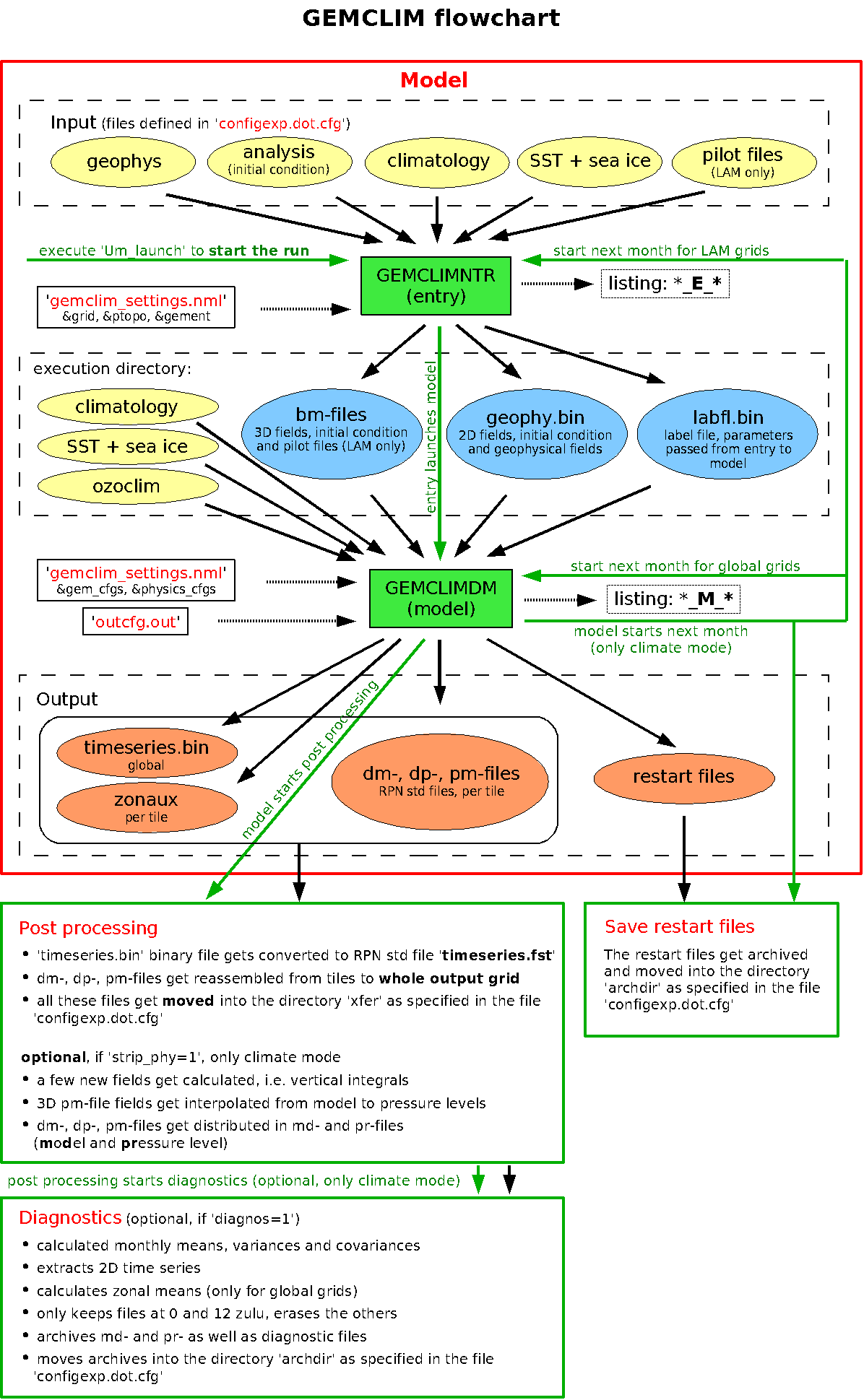
The following is a flowchart
showing all major jobs with their input and output files.
Output
- The model writes the
output directly in the directory ${outrep}as
specified in your file 'configexp.dot.cfg'. Each MPI
process writes a set of output files valid for its
tile. These set will generally be found in several tile-specific subdirectories.
- Then the post processing
reassembles the files for the different tiles and moves the output into the directory ${xfer} as specified in your file
'configexp.dot.cfg'.
- If you requested them, the diagnostics
will then move/archive the output in the directory ${archdir} on the machine ${arch_mach} as specified in your
file 'configexp.dot.cfg'.
Listings
Most model and script listings will be written into the directory ~/listings/${mach}/*${exp}*.
After the post processing (and after the diagnostics if you requested them) have
finished, all listings will get zipped and moved into the directory ${archdir} on the machine ${arch_mach} as specified in your
file 'configexp.dot.cfg'.
Only the listings from the different diagnostics steps will get written into the
directory ${xfer} as specified
in your file 'configexp.dot.cfg' and later archived with the
diagnostics results themselves.
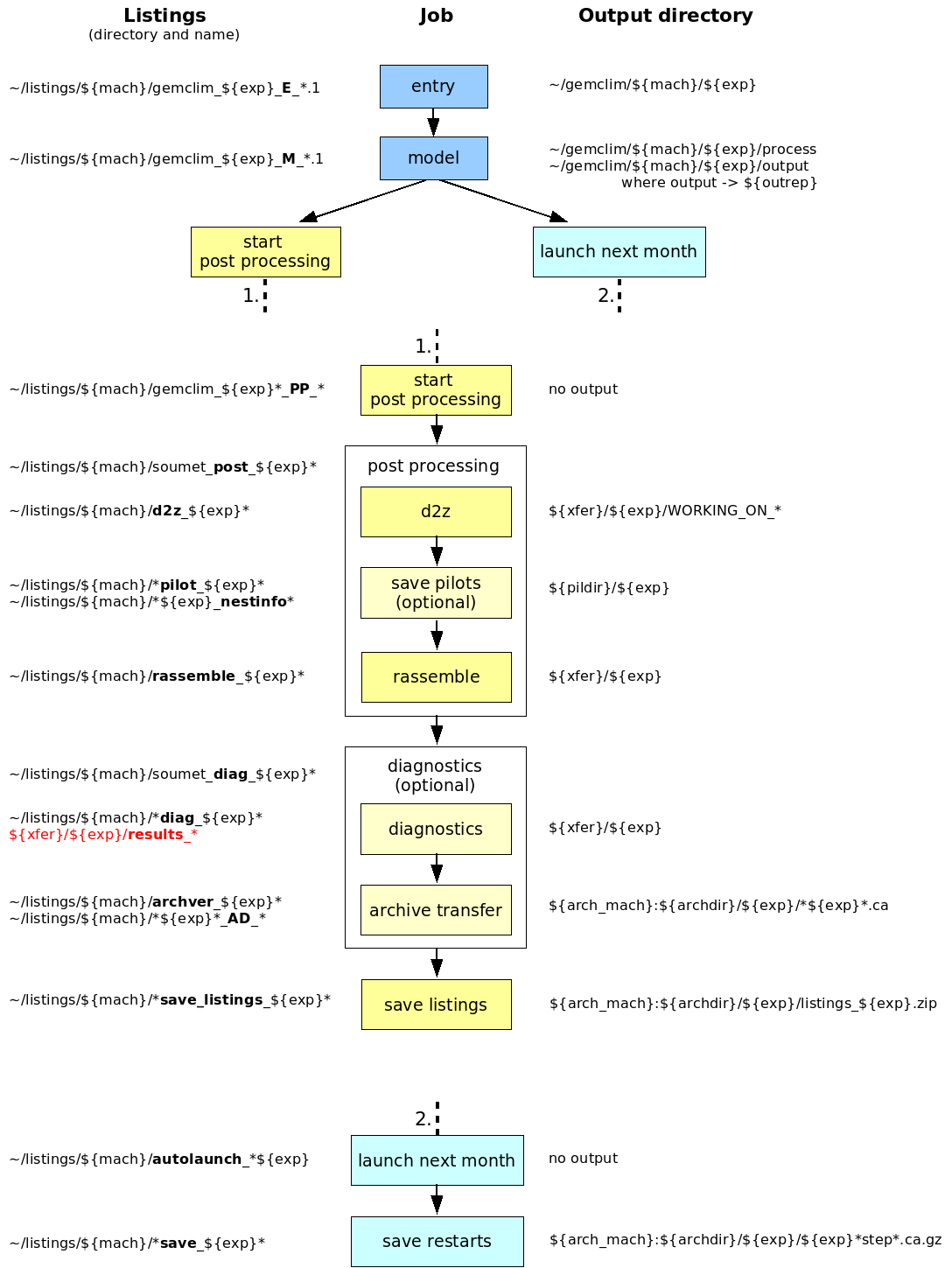
The following is a flowchart showing
all major jobs, their listings and where their output goes.
Author: Katja Winger
Last update: June 2008